
How to Increase Website Conversion: A Practical Guide (2026)63 min read
Getting visitors to your site but not enough of them taking action? Figuring out how to increase website conversion isn’t about one big redesign. It is about fixing the right friction points in the right order. Here’s a practical, no-fluff breakdown of what actually improves conversion rate, how long it realistically takes, and where most sites quietly lose visitors right before they convert.
Looking for an SEO agency?
UnoSearch helps brands rank higher and drive real organic growth. Get Free Proposal1. Quick Answer
2. Why Your Website Isn’t Converting leads
3. How Long Does Conversion Optimization Take?
4. How to Increase Website Conversions
5. Improve UX & Design
6. Better Copy & CTAs
7. A/B Testing for Conversions
8. Good Conversion Rates by Industry
9. Common Conversion Mistakes
10. How UnoSearch Can Help
11. FAQs
Quick Answer
If you want the short version: the fastest way to increase website conversion is fixing clarity and trust issues first confusing navigation, unclear value propositions, and weak calls-to-action lose more conversions than most businesses realize. Layered on top of that, testing page layout, copy, and offers systematically is what drives conversion rate up over time.
There’s no single fix that will improve website conversion rate overnight. Sites that convert well are almost always getting several smaller things right at once clarity, trust, speed, and a clear next step not one big redesign done perfectly.
Expert insight: According to conversion research from firms like Baymard Institute, most conversion loss happens not from a lack of interest, but from friction confusing forms, unclear pricing, or a lack of trust signals at the exact moment someone is ready to act.
Where Are You Actually Losing Conversions?
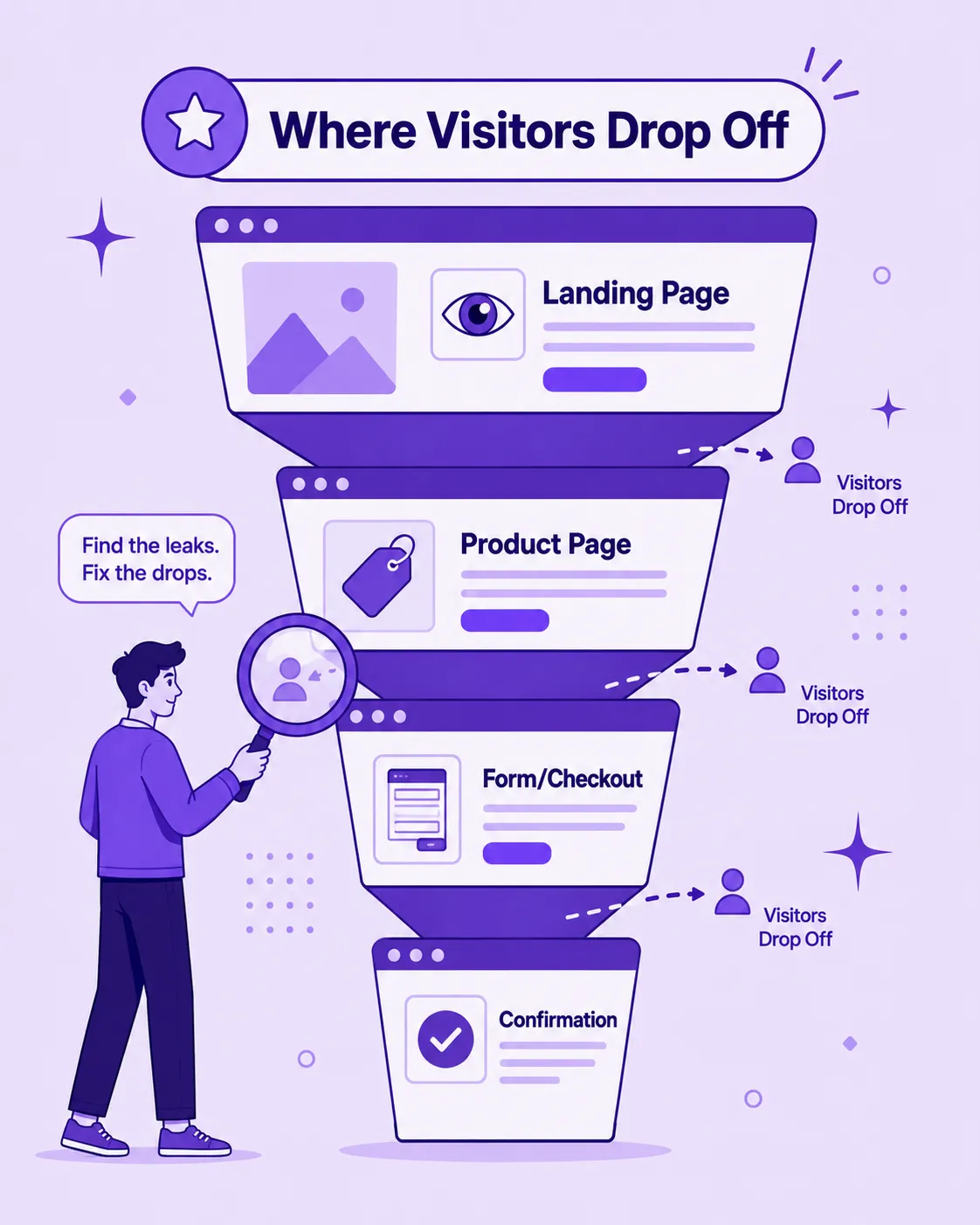
Before optimizing anything, it helps to understand exactly where in the visitor journey people are dropping off, since each stage responds to different fixes.
| Funnel Stage | What Typically Goes Wrong | How to Fix It |
|---|---|---|
| Landing page | Unclear value proposition, slow load time | Clarify messaging above the fold, optimize speed |
| Product/service page | Missing trust signals, unclear pricing | Add reviews, guarantees, transparent pricing |
| Form/checkout | Too many fields, unexpected steps or costs | Simplify forms, show costs upfront |
| Confirmation/follow-up | No clear next step after conversion | Add clear next steps, confirmation, and follow-up sequences |
Most businesses focus all their optimization effort on the landing page, when in reality a large share of drop-off often happens later at the form or checkout stage, where friction is easiest to fix but easiest to overlook.
How Long Does It Take to Improve Website Conversion Rate?
Here’s a realistic view of what improving website conversion actually looks like stage by stage.
| Stage | What Typically Happens |
|---|---|
| Weeks 1–2 | Conversion audit completed, obvious friction points identified (confusing forms, weak CTAs, slow load times) |
| Weeks 2–4 | Quick-win fixes implemented — clearer CTAs, simplified forms, improved page speed |
| Months 1–3 | A/B testing begins on headlines, layouts, and offers; early conversion rate improvements appear |
| Months 3–6 | Consistent testing compounds into measurable, sustained conversion rate increases |
| Ongoing | Continuous testing and refinement as traffic sources and visitor behavior evolve |
The biggest gains usually come from the first round of quick-win fixes, not from a single big redesign. Many sites see meaningful improvement within the first month simply by removing obvious friction, well before formal A/B testing even begins.
How Do I Increase Website Conversion? Core Strategies
If you’re wondering how to increase conversion rate on website pages in a way that actually lasts, these are the fundamentals that consistently work
Clarify your value proposition.
Visitors should understand what you offer and why it matters to them within seconds of landing on a page.
Reduce friction in forms and checkout.
Every extra field or unnecessary step is a chance for a visitor to abandon.
Build trust signals throughout the page.
Reviews, testimonials, security badges, and clear guarantees reduce hesitation at the moment of decision.
Make the next step obvious.
A single, clear call-to-action outperforms a page with competing or ambiguous options.
Improve page speed.
Slow-loading pages lose visitors before they even see your offer, regardless of how good it is.
Test consistently.
Small, ongoing tests on headlines, layouts, and offers compound into meaningful conversion rate gains over time.
Getting these fundamentals right is also what makes paid traffic and SEO efforts pay off driving more visitors to a site that doesn’t convert well simply wastes that traffic.
A few additional levers worth prioritizing:
Segment your offers by traffic source.
A visitor arriving from a paid ad often has different intent than one arriving from organic search matching the page to that intent improves conversion.
Reduce decision fatigue.
Too many product options or pricing tiers on one page can lower conversions simply by overwhelming visitors with choice.
Use social proof near the point of decision,
Not just on a separate testimonials page a review placed right next to a CTA does more work than one buried elsewhere.
Personalize where possible.
Even simple personalization, like referencing a visitor’s location or previous behavior, can meaningfully increase relevance and conversion.
How Can I Improve Conversion Rate Through UX and Design?
User experience is one of the most overlooked levers when businesses try to improve website conversion rate, but small design decisions often carry outsized impact.
Simplify navigation.
Visitors who can’t quickly find what they’re looking for leave rather than search harder.
Use clear visual hierarchy.
Headlines, subheadings, and CTAs should guide the eye naturally toward the action you want visitors to take.
Optimize for mobile first.
A majority of traffic now comes from mobile devices, and a clunky mobile experience directly suppresses conversions.
Reduce visual clutter.
Too many competing elements on a page dilute attention away from the primary action.
Use real, specific imagery.
Generic stock photos tend to build less trust than authentic product or team photos.
Design changes don’t need to be dramatic to work often, removing distractions and clarifying the path to action produces a bigger lift than a full visual overhaul.
Other UX details that quietly affect conversion:
Sticky CTAs
Persistent CTAs on longer pages, so the action is never more than a scroll away
Progress indicators on multi-step forms
This will reduce abandonment by setting clear expectations
Sticky CTAs
Persistent CTAs on longer pages, so the action is never more than a scroll away
Consistent button styling
This will help visitors instantly recognize what’s clickable versus decorative
Accessible color contrast and font sizing
Improve readability and create a more accessible experience for every visitor.
How Do I Increase Conversion Rate With Copy and CTAs?
Copy is frequently the difference between a visitor who converts and one who leaves, even when design and offer are identical.
Lead with the visitor's problem, not your product.
Copy that speaks to what the visitor is trying to solve builds relevance faster than feature-first messaging.
Use specific, action-oriented CTA text.
“Get Your Free Quote” consistently outperforms a generic “Submit” or “Click Here.”
Address objections directly.
Anticipating hesitations cost, time, complexity in your copy reduces the mental friction that stops someone from converting.
Keep forms and CTAs consistent with the promise made.
A mismatch between what a headline promises and what a form asks for creates hesitation.
Test headline variations.
Even small wording changes in a headline can shift conversion rate meaningfully, since it’s often the first thing a visitor reads.
Strong copy doesn’t replace good design or a clear offer but weak copy can undermine both, even when everything else on the page is done well.
Copy elements worth testing specifically
Headline framing
Benefit-led and feature-led headlines can perform differently depending on your audience and industry.
CTA button copy
Test first-person and second-person CTA text to discover which drives more clicks and conversions.
Urgency and scarcity messaging
Use authentic urgency and scarcity to encourage action without reducing customer trust.
Microcopy near forms
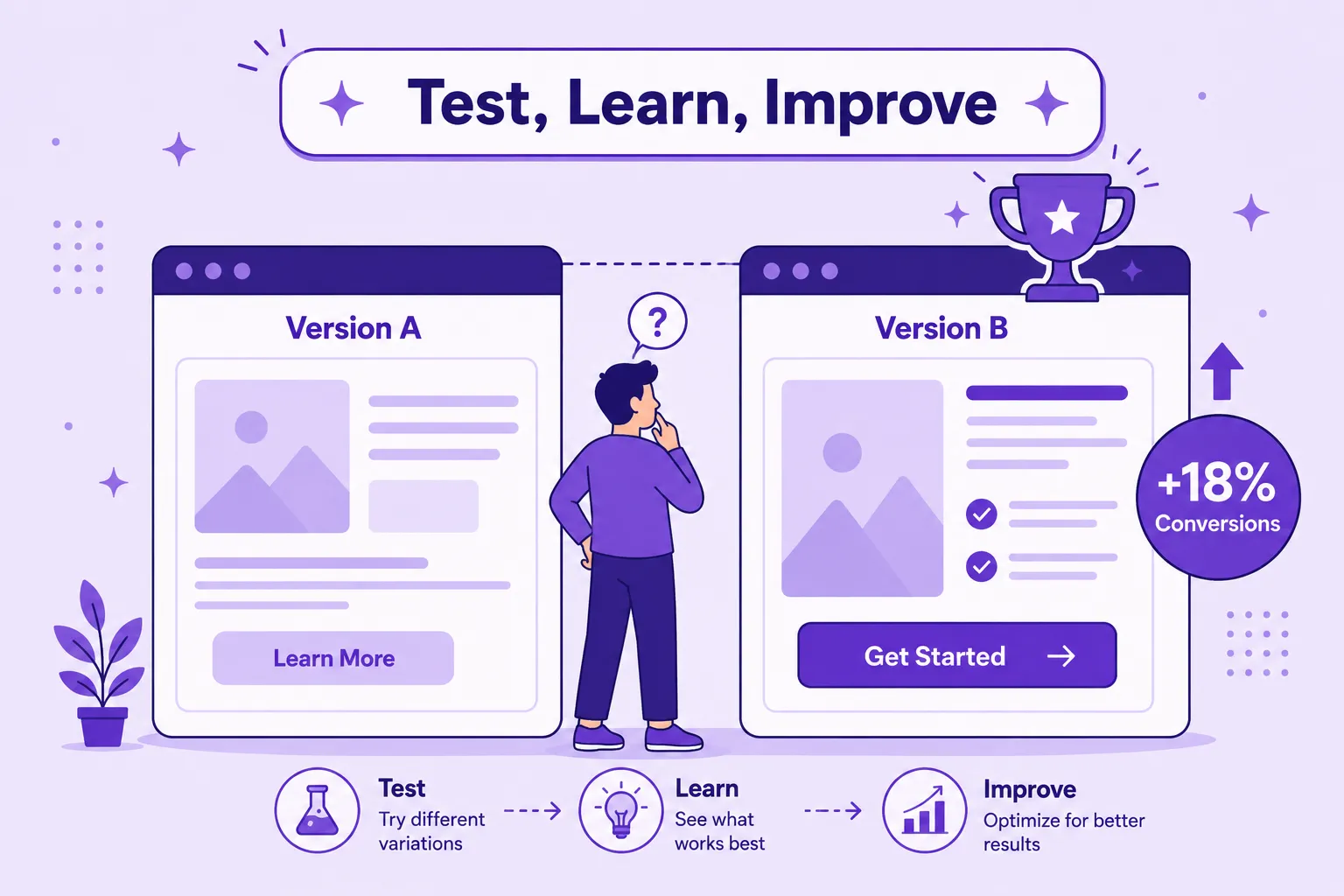
How Do I Use A/B Testing to Improve Conversion Rate?
Once the obvious friction points are fixed, systematic testing is what compounds conversion rate improvements over time.
Test one variable at a time.
Changing a headline and a CTA button simultaneously makes it impossible to know which change drove the result.
Prioritize high-traffic pages first.
Testing on a page with meaningful visitor volume produces statistically reliable results faster than testing on a low-traffic page.
Document what you learn.
A test that “fails” still tells you something about visitor preference — track results over time to build a clearer picture of what your specific audience responds to.
Test big swings before small tweaks.
Testing a fundamentally different page layout or offer often reveals more than testing minor color or wording changes.
What's a Good Website Conversion Rate by Industry?
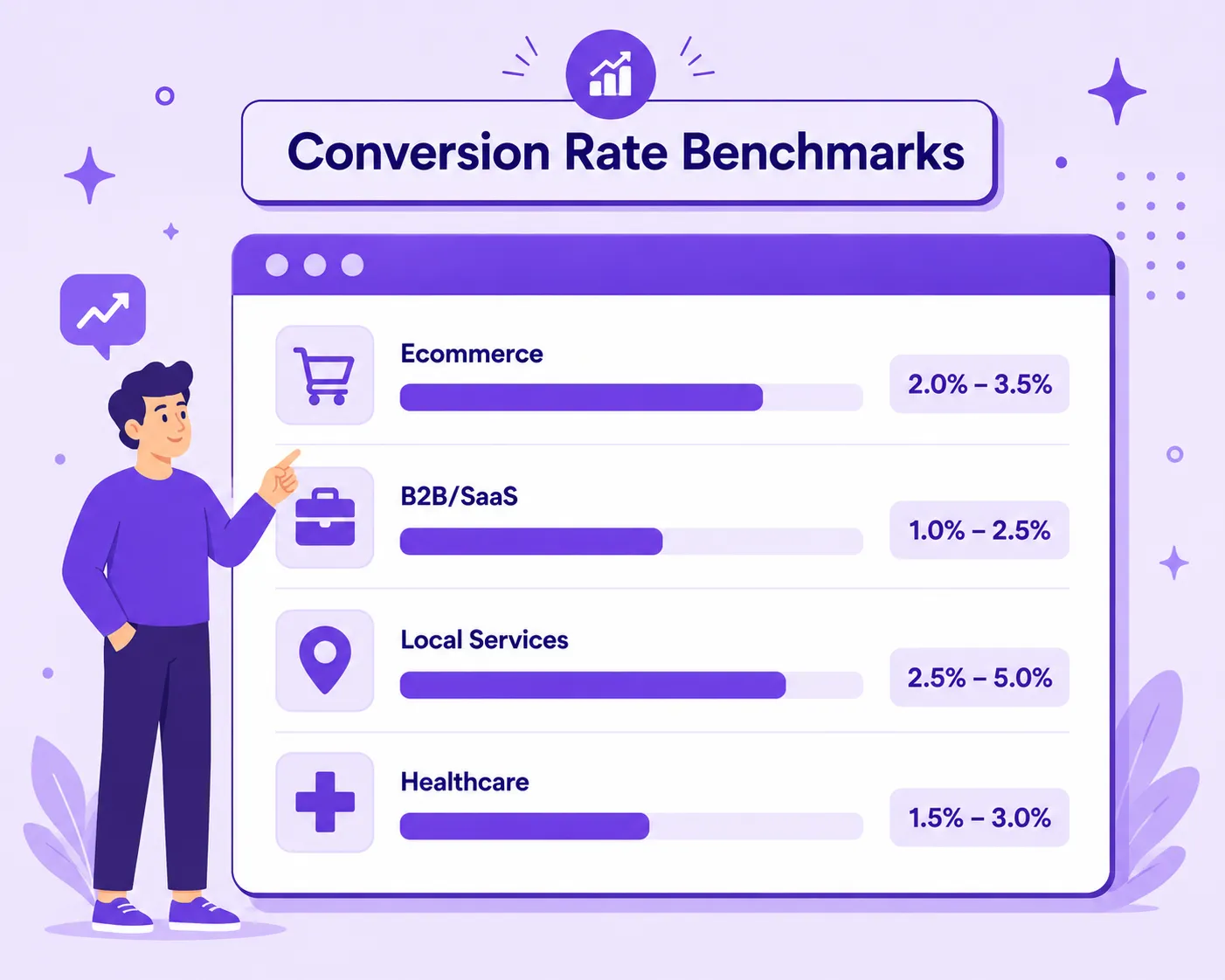
Conversion rate benchmarks vary significantly depending on industry and traffic source, so comparing your numbers to a generic average can be misleading.
| Industry | Typical Conversion Rate Range | Notes |
|---|---|---|
| Ecommerce | 1% – 4% | Varies significantly by price point and traffic source |
| B2B/SaaS (lead forms) | 2% – 6% | Higher-intent traffic (organic, referral) tends to convert better |
| Local services | 5% – 10% | Local intent searches often convert at higher rates |
| Healthcare | 3% – 8% | Trust signals play an outsized role in this category |
These ranges are directional, not absolute. A well-optimized site in a competitive ecommerce niche might still outperform these benchmarks, while a poorly optimized local service site could fall well below them. The more useful comparison is usually against your own historical performance, not an industry-wide average.
What Mistakes Are Lowering My Website Conversion Rate?
Many sites plateau or quietly lose conversions without realizing exactly why. These are the most common culprits:
| Common Mistake | Why It Hurts Conversion | The Fix |
|---|---|---|
| Too many competing CTAs | Confuses visitors about what action to take | Focus each page around one primary action |
| Long or complex forms | Increases abandonment at the final step | Ask only for essential information upfront |
| Slow page load speed | Visitors leave before the offer is even seen | Optimize images, scripts, and hosting performance |
| Weak or missing trust signals | Visitors hesitate without proof of credibility | Add reviews, testimonials, and clear guarantees |
| Unclear value proposition | Visitors don't understand why they should act | Clarify messaging above the fold |
| No mobile optimization | Poor mobile experience directly suppresses conversions | Test and refine the mobile experience regularly |
How Can Unosearch Help Increase My Website Conversion?
If you’ve read through everything above and you’re thinking, “this is a lot to test and refine consistently,” you’re not wrong improving website conversion takes ongoing attention to design, copy, and trust signals, alongside the traffic strategy driving visitors there in the first place. That’s exactly where Unosearch comes in.
1. Driving traffic but not seeing it convert?
A dedicated SEO audit can uncover exactly where visitors are dropping off before they take action.
2. Worried that trust issues are hurting your conversions?
Online reputation management services help build the credibility and trust signals visitors look for before converting.
3. Want your content to attract visitors already looking to act?
GEO services help your business get cited in AI-generated answers at the exact moment someone is researching a decision.
If you’re also working on driving more traffic to convert, our guide on how to increase website traffic is a useful companion read. And if you want a sense of how ranking improvements tie into this, how to improve Google ranking covers that ground in detail.
Instead of optimizing traffic and conversion in isolation, Unosearch looks at the full picture so the visitors arriving at your site are the ones most likely to convert once they get there.
If you’re also weighing whether to hire locally or outsource internationally, our detailed India vs USA SEO agency comparison breaks down the value difference in more depth. And if you’re just getting oriented on providers overall, our roundup of top SEO companies in India is a useful next read.
Frequently Asked Questions
How do I increase website conversion quickly?
Start by removing obvious friction confusing forms, unclear CTAs, slow load times since these fixes often produce the fastest visible improvement, even before formal testing begins.
How long does it take to improve conversion rate on website pages?
Quick-win fixes can show results within weeks, while sustained, compounding improvement from ongoing testing typically takes three to six months.
What is a good website conversion rate?
Average conversion rates vary significantly by industry, but many businesses see meaningful gains simply by fixing clarity and trust issues, regardless of their current baseline.
Why isn't my website converting despite good traffic?
Common causes include unclear value propositions, long or complex forms, slow page speed, and missing trust signals — all of which create friction at the exact moment a visitor is ready to act.
Does SEO help improve website conversion rate?
Yes, indirectly. SEO that attracts visitors with genuine, relevant intent tends to convert better than traffic with weak or mismatched intent, making conversion optimization and SEO strategy closely connected.
What's a good conversion rate for my industry?
It varies ecommerce sites often see 1-4%, B2B/SaaS lead forms 2-6%, and local services 5-10%. Comparing against your own historical performance is usually more useful than chasing a generic industry average.
References
1. Baymard Institute – UX & Conversion Research
https://baymard.com/research
2. Google – Web Vitals & Page Experience
https://web.dev/explore/vitals
3. Nielsen Norman Group – Usability & UX Research
https://www.nngroup.com/articles/
Hire your SEO expert Today!