
PPC for E-Commerce: A Profit-First Guide to Paid Ads That Pay Off
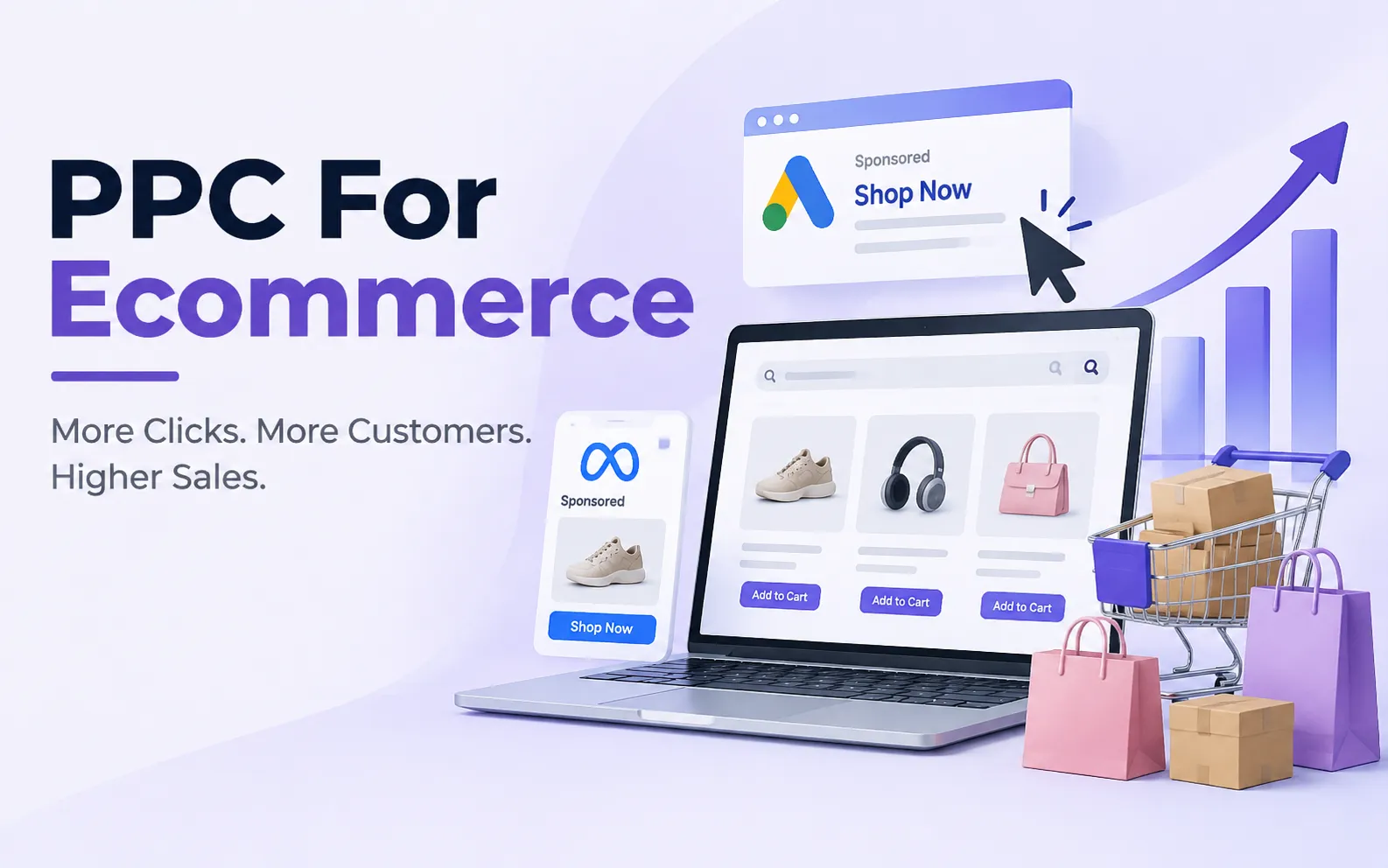
Every click on your ad costs money. So the goal is not more clicks. The goal is clicks that turn into profit. PPC for e-commerce puts your products in front of shoppers who are ready to buy. Done well, e-commerce pay per click brings fast, measurable sales. Done poorly, it drains your budget. This guide shows how PPC in e-commerce works, what it costs, and how to build an ecommerce PPC strategy that pays for itself.
Ready to Grow Your E-Commerce Sales With PPC?
UnoSearch helps e-commerce businesses build and manage PPC campaigns focused on qualified traffic, profitable sales, and measurable growth. Get a strategy built around your products, goals, and budget.
Get Your Free PPC Strategy2. How e-commerce pay per click works?
3. Why PPC Matters for Online Stores
4. Main PPC Channels for E-Commerce
5. How Much Does E-Commerce PPC Cost
6. Step-by-Step E-Commerce PPC Strategy
7. Which campaign should you start with?
8. Product Feed and Landing Page Checklist
9. Metrics and Tracking Setup
10. Manage PPC Yourself or Hire Help?
Quick Answer
PPC for e-commerce is paid advertising where you pay only when a shopper clicks your ad. Your ads appear on Google Search and Shopping, on social platforms, and on marketplaces. They send shoppers straight to your product pages.
It is worth it when each sale earns more profit than it costs to win. To check this, find your break-even ROAS: divide 1 by your gross margin. With a 50% margin, you need $2 in sales for every $1 in ad spend just to break even.
How e-commerce pay per click works?

PPC for e-commerce differs from lead generation. A lead-gen advertiser wants a form fill, and the sale happens later. An online store wants a purchase in one visit. So your ad, product page, and checkout must work together.
Simply put, ppc ecommerce means you pay to bring ready-to-buy shoppers to your store, and you only pay when they show up.
You choose what to advertise.
This can be keywords, products, or audiences.
Your ad enters an auction.
This happens each time a matching shopper searches or scrolls.
You pay when the shopper clicks.
Then the shopper lands on your store.
EXPERT INSIGHT:
“ The tools are tools. They are not a strategy.”
Ginny Marvin, Ads Product Liaison at Google
In the same interview, Marvin explained that Performance Max, Google’s automated campaign type, is goal-based and aims at conversion value. For e-commerce, her advice was to tell Google which conversion matters most to your business. In other words, know your margins and goals first. Then let the ad tools work toward them.
Why PPC Matters for Online Stores
PPC in ecommerce gives you things that slower, organic marketing channels cannot:
Speed
Ads can bring traffic within days. SEO often takes months.
Intent
Search and Shopping ads reach people who are already looking for what you sell.
Clear numbers
Each click ties to a product, a price, and a cost. You can see what each sale cost you.
Fast testing
You can test new products, prices, images, and offers quickly.
There is one warning. Costs are rising. Skale Strategy reports that across e-commerce, cost per acquisition is up about 12% year over year, while ROAS has slipped about 10%. ROAS stands for Return on Ad Spend, which measures how much revenue you generate for every dollar spent on advertising. That means weak margin math shows up faster than it used to.
PPC also does not replace SEO. Most stores do best when paid ads bring quick sales and organic search builds steady traffic over time.
Main PPC Channels for E-Commerce

Pay per click ecommerce ads run on several platforms. Each one fits a different job.
| Channel | Best for | Watch out for |
|---|---|---|
| Google Search ads | Best forShoppers typing a specific product, brand, or need | Watch out forPopular keywords get expensive |
| Google Shopping ads | Best forShowing your product image, price, and store before the click | Watch out forNeeds a clean product feed |
| Performance Max | Best forReaching shoppers across Google (Search, Shopping, YouTube, Display, Gmail, Maps) using automation | Watch out forNeeds steady conversion data. You get less manual control |
| Meta ads (Facebook and Instagram) | Best forDiscovery and retargeting, especially for visual products | Watch out forShoppers are browsing, not searching. They may need more nurturing |
| Microsoft Advertising | Best forExtra reach with less competition in many categories | Watch out forA smaller audience than Google |
| Marketplace ads (Amazon Ads, Walmart Connect) | Best forSellers who already sell on those marketplaces | Watch out forHelps only sales on that marketplace |
Where should you start?
Most stores begin on Google, because that is where buying intent is highest. Marvin noted that Search can be the right place to start, with Performance Max added later. She also said the two can work well together. Then add Meta or other channels once your Google results are profitable.
How Much Does E-Commerce PPC Cost?
You pay two kinds of cost: ad spend, which goes to the platforms, and management fees if you hire help. Ad spend depends on your industry, products, and season.
For a rough guide, Skale Strategy reports average e-commerce click costs of about $1.16 on Search and $0.66 on Shopping. It also reports a median return of about $3.50 in revenue per $1 spent. (Source) These are averages. Your numbers will differ.
Instead of guessing a budget, work backward from your margin. Here is a worked example. The numbers are for illustration only, so swap in your own.
| Step | Formula | Example |
|---|---|---|
| Average order value (AOV) | FormulaYour average sale | Example$80 |
| Costs per order (product, shipping, fees, returns allowance) | FormulaYour total cost | Example$44 |
| Gross profit per order | FormulaAOV − costs | Example$36 |
| Gross margin | FormulaProfit ÷ AOV | Example45% |
| Break-even ROAS | Formula1 ÷ margin | Example2.22 |
| Break-even CPA (most you can pay per order) | FormulaEquals gross profit per order | Example$36 |
| Conversion rate (assumed) | FormulaOrders ÷ clicks | Example2% |
| Break-even CPC | FormulaBreak-even CPA × conversion rate | Example$0.72 |
| Target ROAS for profit | FormulaYour goal | Example3.0 |
| Target CPA at 3.0 ROAS | FormulaAOV ÷ target ROAS | Example$26.67 |
| Profit per order after ads | FormulaGross profit − target CPA | Example$9.33 |
| Target max CPC | FormulaTarget CPA × conversion rate | Example$0.53 |
Now test this against the average click costs above. At $1.16 per click and a 2% conversion rate, each order costs $58 in ads ($1.16 ÷ 0.02). That is more than the $36 profit, so this store would lose money. At $0.66 per click, the cost is $33 per order. That is just under the $36 profit. The lesson is clear. Your margin, conversion rate, and click cost decide whether PPC works for you.
How much should you start with?
Begin with an amount you can afford to test. You need enough clicks to learn what works. Then grow the budget on campaigns that beat your break-even numbers. Want to reach more potential customers on Meta? Explore UnoSearch’s Meta Ads Services to see how targeted campaigns can support your growth.
Step-by-Step E-Commerce PPC Strategy

A good ecommerce PPC strategy is simple. Follow these steps in order.
Know your numbers
Work out break-even ROAS and CPA for each product or category.
Pick products worth advertising
Favor products with healthy margins, good reviews, clear images, fair prices, and steady stock. Give your best sellers their own campaigns.
Set up tracking before you spend
See the tracking checklist below.
Clean your product feed
Shopping ads run on it.
Group products sensibly
Split campaigns by category, product type, or margin. This keeps bids and budgets relevant.
Write ads that match the page
Use several headlines and descriptions. Mention real offers such as free shipping or easy returns. Send shoppers to the product or collection page, not the homepage.
Launch small and review often.
Check search terms weekly. Add negative keywords to block searches that will not buy.
Scale what works
Raise budgets on winners in steady steps.
Which campaign should you start with?
| Your situation | A common starting point |
|---|---|
| New store with no sales history | A common starting pointGoogle Search on your best products, plus Shopping if your feed is ready |
| Steady sales and enough conversion data | A common starting pointAdd Performance Max with your product feed and real order values |
| Visual or impulse products | A common starting pointAdd Meta ads for discovery and retargeting |
| Selling on Amazon or Walmart | A common starting pointAdd marketplace ads for those listings |
| Strong profit and room to grow | A common starting pointTest more channels, such as Microsoft Advertising |
Your first 90 days
| Phase | What to do | What to watch |
|---|---|---|
| Days 1 to 14: Set up | What to doDo the break-even math. Set up tracking. Fix the feed. Check landing pages. Build first campaigns. | What to watchTracking fires correctly. Feed is approved. |
| Days 15 to 30: Launch and learn | What to doRun small budgets. Review search terms weekly. Add negative keywords. | What to watchClicks, conversion rate, and CPA against break-even. |
| Days 31 to 60: Optimize | What to doPause weak ads and products. Test new ads and landing pages. Add retargeting. | What to watchROAS against break-even. New versus returning buyers. |
| Days 61 to 90: Scale | What to doRaise budgets on winners. Add one new channel. Plan for the next season. | What to watchProfit, not only revenue. |
Product Feed and Landing Page Checklist

Good PPC for ecommerce sites starts before the ad. Your product feed and landing pages decide how far your budget goes. Google lists seven required attributes for every product: id, title, description, link, image link, availability, and price. Most products also need a brand and a GTIN or MPN. See Google’s product data specification.
Feed checklist:
- Start titles with the words shoppers type, such as brand, product type, size, or color.
- Make sure price and availability match your product page exactly.
- Use a clear, high-quality main image. Avoid promo text, logos, or watermarks on it.
- Fix disapproved products in Merchant Center diagnostics.
- Keep out-of-stock items out of your campaigns.
Landing page checklist:
- Send shoppers to the exact product or collection in the ad.
- Make the page fast, especially on mobile. Marvin stressed this in her interview.
- Show the offer and the call to action clearly.
- Add reviews, shipping costs, and return details.
- Make size and color choices easy and label out-of-stock options.
- Keep checkout short, with guest checkout and digital wallets if you can.
Metrics and Tracking Setup
| Metric | What it tells you | How to calculate |
|---|---|---|
| ROAS | What it tells youRevenue for each $1 of ad spend | How to calculateRevenue ÷ ad spend |
| Break-even ROAS | What it tells youThe minimum ROAS you need | How to calculate1 ÷ gross margin |
| POAS | What it tells youProfit for each $1 of ad spend. Below 1.0 means a loss | How to calculateGross profit ÷ ad spend |
| CPA | What it tells youWhat each order costs in ads | How to calculateAd spend ÷ orders |
| Conversion rate | What it tells youHow often clicks become orders | How to calculateOrders ÷ clicks |
| AOV | What it tells youAverage order size | How to calculateRevenue ÷ orders |
| CTR | What it tells youHow often people click your ad | How to calculateClicks ÷ impressions |
Why ROAS alone can mislead you
ROAS shows revenue. It does not show profit. Skale Strategy gives a clear example. Two products can both post a 4x ROAS on $1,000 of spend. If one has a 20% margin, it loses $200. If the other has a 55% margin, it earns $1,200. (Source) That is why many advertisers now look at profit on ad spend and feed margin data into their bidding.
Tracking setup checklist:
- Install the Google tag and set up GA4 e-commerce events, from product view to purchase.
- Track purchases as your main conversion, with the real order value.
- Turn on enhanced conversions and use customer match. Marvin listed both in her measurement checklist.
- Link GA4 and Google Ads.
- Place a test order and confirm it shows up.
- Expect different numbers in different tools. Ad platforms and GA4 use different attribution rules. Pick one source of truth, such as your store’s own sales data, for big decisions.
Seasonal Planning for the US Market
Demand in the US swings through the year. Big moments include Valentine’s Day, Mother’s Day, back-to-school, Black Friday, Cyber Monday, and the holiday gift season. Plan ahead for each one.
- Start early. Get your feed, tracking, and offers ready before the peak, not during it.
- Expect higher click costs in busy weeks. Recheck your break-even CPC.
- Count the cost of discounts. In our example store, a 20% discount cuts profit per order from $36 to $20. Break-even ROAS then rises from 2.22 to 3.2. A sale can feel busy and still lose money.
- Raise budgets carefully. Add spend only to campaigns already above break-even.
- Refresh your visuals. Marvin suggested updating product images to fit seasonal campaigns and promotions.
- Use marketplace ads if you sell there. Amazon Ads and Walmart Connect can reach shoppers who are already on those sites.
- Review after the peak. Keep what worked. Cut what did not.
Manage PPC Yourself or Hire Help?
PPC management for ecommerce takes steady time. Someone must review bids, search terms, feeds, ads, tests, and reports. So the real question is who does the work.
| Option | Best when | Trade-offs |
|---|---|---|
| Do it yourself | Best whenYou have a small budget, a simple catalog, and time to learn | Trade-offsLearning takes time. Early mistakes cost money. |
| Freelancer or ecommerce PPC consultant | Best whenYou want expert guidance or an audit on a moderate budget | Trade-offsOne person has limited capacity. Check experience with stores like yours. |
| Ecommerce PPC agency | Best whenYou have a large catalog, several channels, or need a full team | Trade-offsHigher cost. You need clear reporting and full access. |
Signs it is time to get help
- Your ad spend is growing, but your profit is not.
- You do not have time to review campaigns each week.
- You want to add channels such as Shopping, Performance Max, or Meta.
- You are not sure your tracking is correct.
Whether you hire an ecommerce paid search agency, a consultant, or a full ecommerce PPC management agency, the same rule applies. Ask for clear goals, clear reporting, and clear ownership. Good ecommerce paid search services should make your numbers easier to understand, not harder.
Watch: How UnoSearch Can Help You Grow With PPC
Want to see how we work? Watch our short video to learn more about UnoSearch and how our team can support your PPC growth.
How Can UnoSearch Support Your E-Commerce PPC Goals?
PPC works best as part of a full growth strategy, not as a channel that runs on its own. UnoSearch can help build that strategy around your store’s goals, products, and target audience.
Turn PPC clicks into sales
Want every click to have a better chance of becoming an order? UnoSearch’s PPC Services build and manage campaigns focused on qualified traffic and sales, not just clicks.
Reach shoppers on Facebook and Instagram
Need to reach shoppers while they browse? UnoSearch’s Meta Ads Services plan and manage campaigns that put your products in front of the right people.
Build Google Ads campaigns around your products
Need Google Ads campaigns built around your product range? UnoSearch’s Google Ads Management services handle campaign structure, bidding strategy, keyword targeting, and ad copy to help online stores reach relevant shoppers.
Plan a complete paid search strategy
Looking for a wider plan for search? UnoSearch’s Search Engine Marketing Services help your store show up when shoppers search for what you sell.
Final Thoughts
PPC for e-commerce works when you start with your numbers, not the ad platform. Know your break-even point. Set up tracking. Clean your feed. Launch small, learn fast, and scale what earns a profit. Do that, and paid ads can become one of the most reliable ways to grow your store.
Frequently Asked Questions About GEO Audits
Is PPC worth it for e-commerce?
Yes, when each sale earns more profit than it costs to win. Work out your break-even ROAS and CPA first. If your numbers work, PPC can bring fast, measurable sales.
What is a good ROAS for e-commerce?
It depends on your margin. Break-even ROAS is 1 divided by your gross margin. A 4x ROAS is strong at a 70% margin and barely profitable at 30%. For context, Skale Strategy reports a median of about 3.5x across e-commerce accounts. (Source)
How much should I spend on PPC?
Start with an amount you can afford to test. You need enough clicks to see what works. Then grow the budget on campaigns that beat break-even.
PPC or SEO: which is better for an online store?
They do different jobs. PPC brings traffic fast, but it stops when you stop paying. SEO builds slowly but keeps working. Most stores use both.
Which platform should I start with?
Most stores start with Google, because shoppers there are already searching. Add Meta or other channels once your Google campaigns are profitable.
Continue Learning About Digital Marketing
SEO for Lawyers: How to Get Found by Clients on Google
SEO for lawyers is the practice of improving your website so your firm can appear when people search Google for legal help. Most people looking for legal assistance begin their search online, and firms that appear prominently in those results are more likely to...
PPC for Lawyers: Guide to Paid Search & Case Acquisition
Legal searches often happen when a person has a specific problem and wants help. They may be looking for a personal injury lawyer, criminal defense attorney, divorce lawyer, or another specialist. Paid search can put a law firm in front of that demand at the right...

Social Media Marketing for Law Firms: Full 2026 Guide
Social media marketing for law firms means using platforms like LinkedIn, Facebook, and Instagram to build trust with future clients before they ever call your office. A strong social presence helps a firm stay visible, answer common legal questions, and turn casual...
Copyright © Digicore Technologies Pvt. Ltd. All Rights Reserved | Privacy Policy
Consult Your Digital Marketing Expert Today!